
LWDAnalyser Software
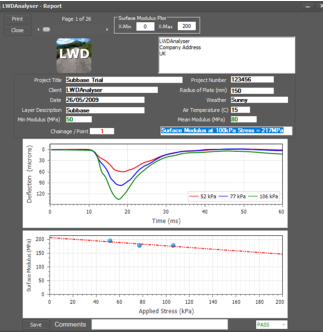
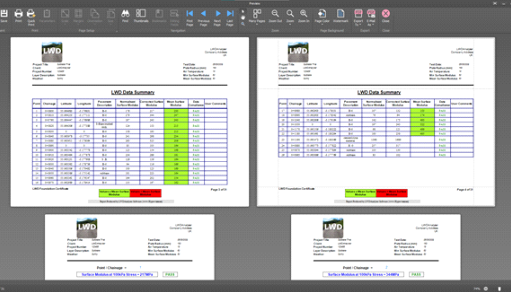
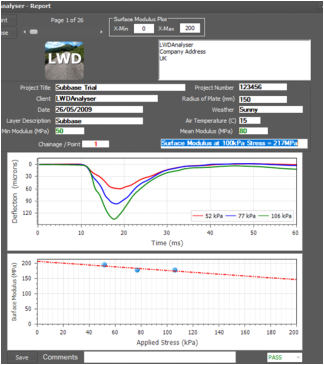
Are you undertaking Light Weight Deflectometer tests (LWD) which are compliant with the requirements of BS 1924:2 and MCHW 800 series? Did you know that every test report produced using the LWD must contain the following information:- • Test Location Details • Surface and Air Temperature • Max Applied Stress & Max Deflection • Plate Radius • Foundation Surface Modulus • Pulse Shape (For each test location) • Calibration Information LWDAnalyser can rapidly analyse data gathered using various types of LWD and produce reports which are compliant with the standard. Find out more here.
© Hyperviant 2026


LWDAnalyser
software
can
analyse
LWD
data
rapidly
and
reproduce
reports
which
are
compliant
with
the
latest
pavement
standards


To download a free trial go to downloads
Light Weight Deflectometer (LWD)
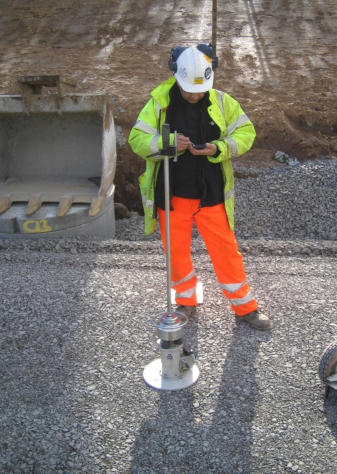
A Light Weight Deflectometer (LWD) determines the in-situ foundation surface modulus for a pavement foundation. The in-situ foundation surface modulus is determined by dropping a weight from a height onto a load plate and the applied load and resultant deflection of the material are measured. The amount of load applied to a material layer and supporting structure can be varied by varying the drop height of the weight; the magnitude of the surface contact stress can be varied by changing the size of the loading plate. The applied load is known or is measured using a calibrated load cell. The surface deflection of the material layer and support structure is measured using a geophone. A geophone measures the vertical velocity with a single integration to obtain the surface deflection. The output from the device is the in-situ foundation surface modulus .Reporting LWD data
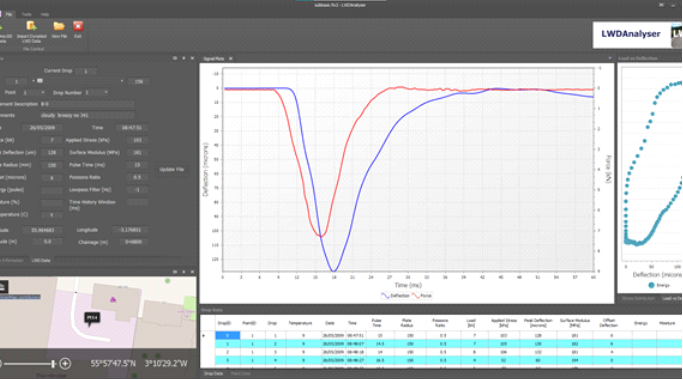
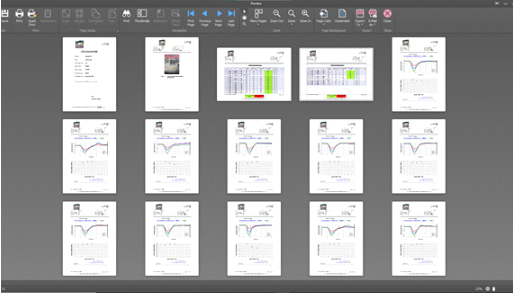
The LWDAnalyser software is a very simple but powerful tool for generating reports for LWDs. Once the data has been loaded into the software, the user is only a few clicks away from generating a report . Key Benefits: • Create LWD reports rapidly • Customisable user interface • Pre-load calibration factors • Include a map showing test locations • Improves efficiency • Increased productivity Screen shots from the software























© Hyperviant 2026


LWDAnalyser Software
Are you undertaking Light Weight Deflectometer tests (LWD) which are compliant with the requirements of BS 1924:2 and MCHW 800 series? Did you know that every test report produced using the LWD must contain the following information:- • Test Location Details • Surface and Air Temperature • Max Applied Stress & Max Deflection • Plate Radius • Foundation Surface Modulus • Pulse Shape (For each test location) • Calibration Information LWDAnalyser can rapidly analyse data gathered using various types of LWD and produce reports which are compliant with the standard. Find out more here.
Light Weight
Deflectometer (LWD)
A Light Weight Deflectometer (LWD) determines the in-situ foundation surface modulus for a pavement foundation. The in-situ foundation surface modulus is determined by dropping a weight from a height onto a load plate and the applied load and resultant deflection of the material are measured. The amount of load applied to a material layer and supporting structure can be varied by varying the drop height of the weight; the magnitude of the surface contact stress can be varied by changing the size of the loading plate. The applied load is known or is measured using a calibrated load cell. The surface deflection of the material layer and support structure is measured using a geophone. A geophone measures the vertical velocity with a single integration to obtain the surface deflection. The output from the device is the in-situ foundation surface modulus .Reporting LWD data
The LWDAnalyser software is a very simple but powerful tool for generating reports for LWDs. Once the data has been loaded into the software, the user is only a few clicks away from generating a report . Key Benefits: • Create LWD reports rapidly • Customisable user interface • Pre-load calibration factors • Include a map showing test locations • Improves efficiency • Increased productivity Screen shots from the software


To download a free trial go to downloads